
Back to Home
Zero Screenshot
Zero

Zero

AI native email client

Visit Website
830 Upvotes

About

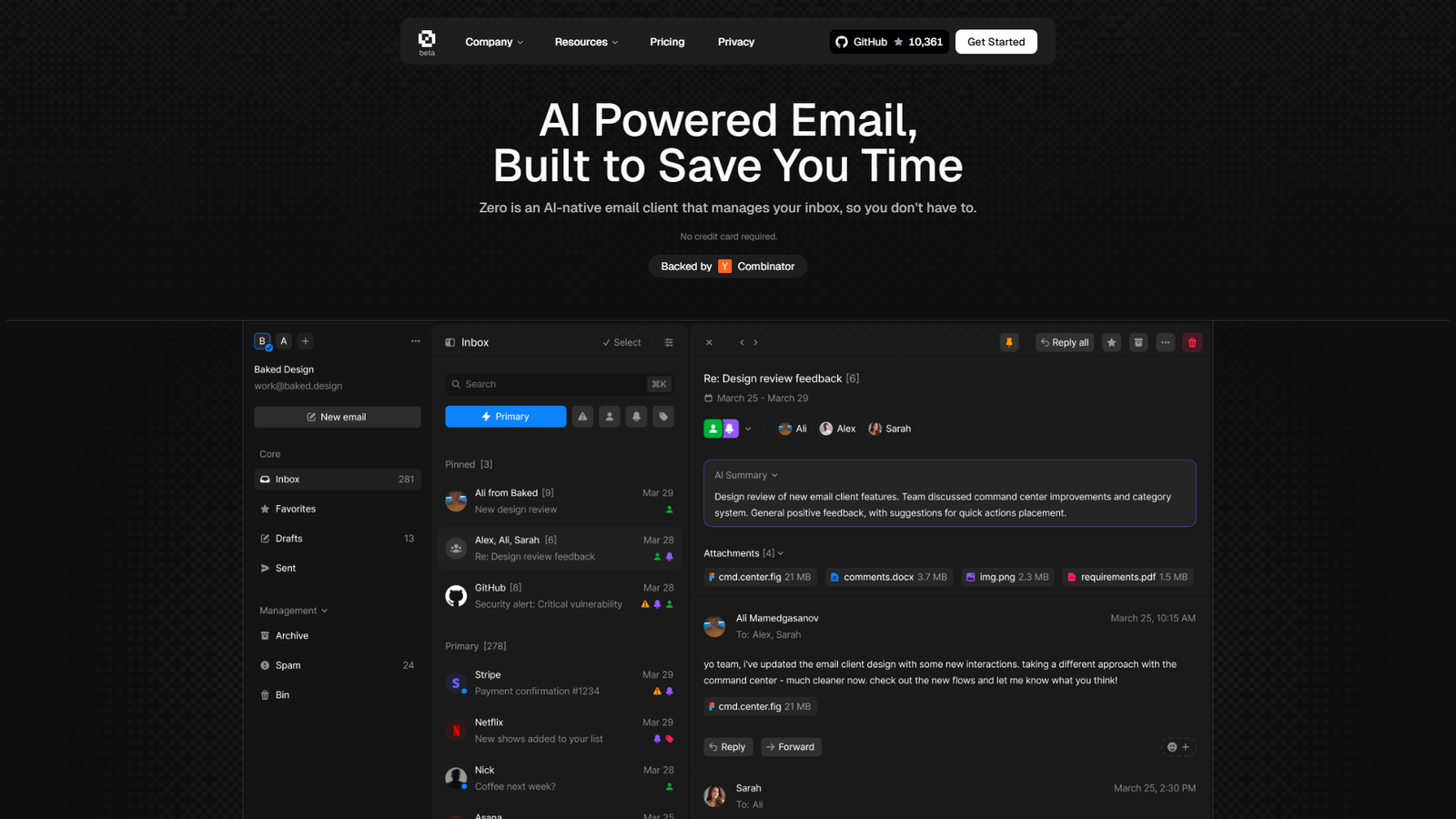
Zero is an AI-native email client designed to significantly reduce the time users spend managing their inbox. It features an AI copilot that can draft responses, summarize long email threads, and automatically extract action items. The client boasts a lightning-fast interface with extensive keyboard navigation, enabling power users to process hundreds of emails in minutes. It also includes smart search capabilities and an AI email chat feature that allows users to interact with their emails using natural language queries. Zero is backed by Y Combinator and aims to provide a seamless, efficient, and intelligent email experience.


Color Palette

Background White

#FFFFFF

70%

Primary Text Black

#000000

20%

Accent Purple

#9370DB

5%

Secondary Grey

#CCCCCC

5%

Typography

Modern Sans-serif

Heading, Body, UI elements

Aa

Design Review

The design of Zero is exceptionally clean, modern, and highly functional, perfectly aligning with its core value proposition of speed and efficiency. The predominant use of a light theme with ample white space creates a clear, uncluttered interface, which is essential for an email client focused on productivity. The typography utilizes a modern sans-serif font, ensuring excellent readability across all text elements, from prominent headings to detailed body content and UI labels. The color palette is minimalist and effective: a dominant white background provides visual breathing room, dark text ensures high contrast and legibility, and subtle accents of a blue/purple gradient are strategically used for interactive elements like 'Get Started' buttons and AI-related icons (e.g., the AI Summary star). This limited and consistent color scheme contributes to a professional and focused aesthetic. The interface previews demonstrate a well-organized layout with intuitive categorization (Pinned, Recently interacted), clear iconography, and a strong visual emphasis on keyboard shortcuts, highlighting a key usability feature for power users. The integration of the AI chat feature is also visually seamless, suggesting an intuitive interaction model. Overall, the design effectively communicates the product's promise of an intelligent, fast, and user-friendly email experience, making it appealing to its target audience.

Similar Products

Clear for Slack

Clear for Slack

Clear messages get answered quicker

155
Griply 2026

Griply 2026

Achieve your goals with a goal-oriented task manager

87
HappyMail

HappyMail

We made email simple again

73
Blober.io

Blober.io

The easiest way to transfer files between cloud providers.

65
Supaguard

Supaguard

Scan, Detect & Protect Your Supabase Data

64
Timelines Time Tracking 4

Timelines Time Tracking 4

Track your time to achieve your New Year resolutions.

63
SoftReveal — Reveal less. Engage more.

SoftReveal — Reveal less. Engage more.

Hide Content, Reveal on Click

62
Reword

Reword

Rewrite messages without leaving your workflow

59
Radial

Radial

Your shortcuts, one gesture away

59
MoovAI

MoovAI

Launch viral AI ads & pro social content in minutes

57
Resell AI

Resell AI

Reselling workflow with market-based price suggestions

57
Qwen-Image-2512

Qwen-Image-2512

SOTA open-source T2I model with even greater realism

213
